Step-by-step guide to publish your library from GitHub to Sonatype
TL;DR
As a developer I use Github to share my code with others. Being a java developer, I also see the advantage of using java libraries as a form of sharing our work. Once java library is developed with useful release features, it can be deployed to Sonatype maven central repository. Github offers the GitHub Actions where we can seamlessly automate from code commit to library publish.
How
- Create sonatype account, get token to publish maven artefacts
- Claim the namespace so you can publish under maven
<groupId> - Create gpg keys, include gpg private key in your build and add the public key in to key server, this is to perform integrity checks for libraries you publish
- Set up secrets for your repository including sonatype username, token, gpg private key, gpg passphrase
- Set up GitHub action workflow so you can publish libraries from GitHub to Sonatype
Why
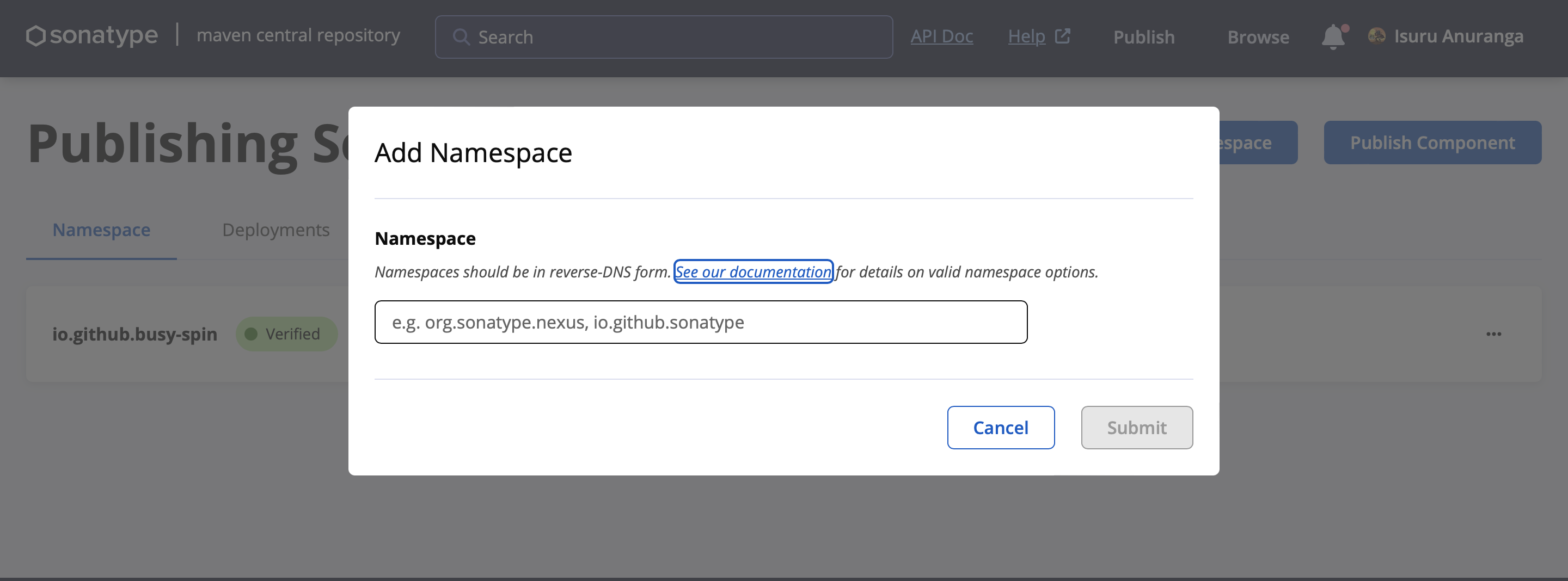
Claiming your namespace
All my libraries go under <groupId>io.github.busy-spin</groupId> I should claim this namespace in Sonatype.
Pretty much similar to how you get a username in GitHub or blog-space.
Generate GPG private key and public key
Standard why to perform a integrity check for your libraries is to generate GPG key pair. Keep the private key with you (In this case keep it in GitHub Secrets). And publish the public key to gpg key server. When you publish the artefacts, the artefacts will be signed using your private key. And Sonatype server will verify using the published public key.
GitHub Actions / GitHub Secrets
As your library start getting traction, more and more people would want to collaborate with you. It’s easy to centralize the publishing instead of all contributors sharing GPG keys and other secrets and settings up the deployment related settings in their individual systems.
Steps
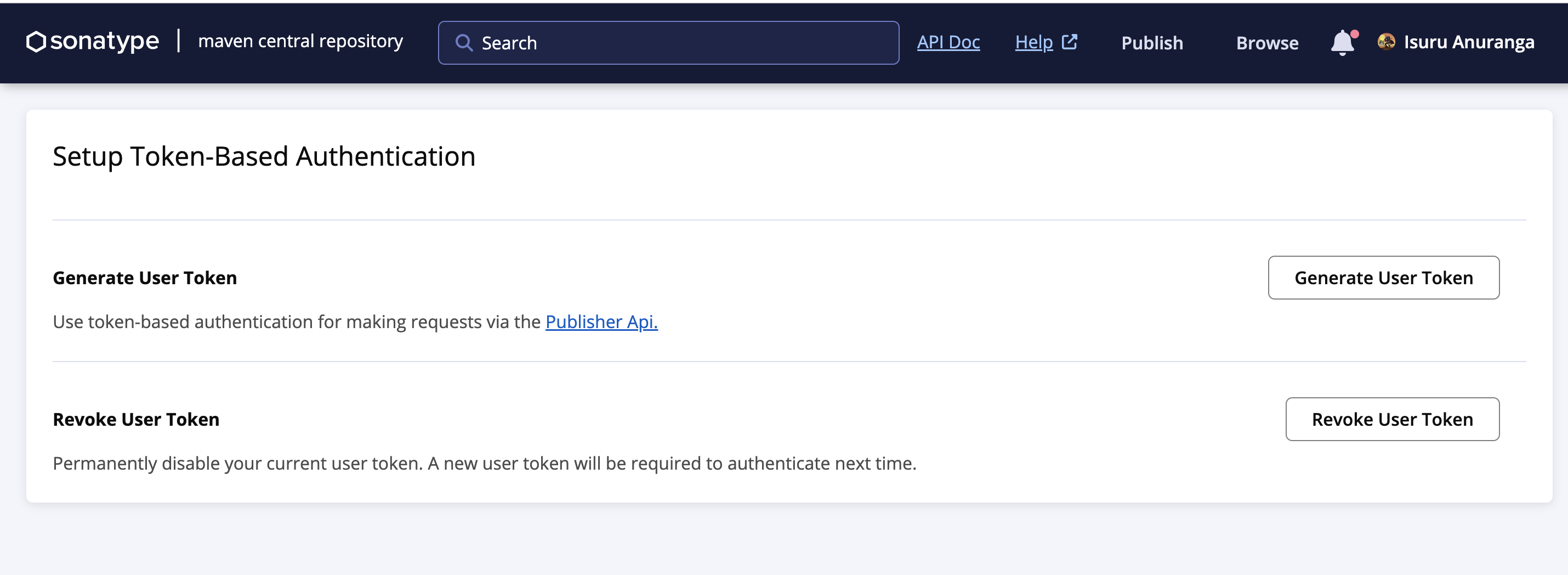
Create sonatype account and get token
Use following link to create account in Sonatype and create user token.
Claim your namespace
Use the following link to claim the namespace which is your maven <groupId>
Generate GPG key
Use following guide on generating gpg-key pair and publishing the public key to gpg key server
Use following command to copy your GPG private key, replace id with your GPG key pair id.
GPG private key and GPG passphrase will be later uploaded in to GitHub secrets.
gpg --armor --export-secret-key <id>
Setting up secrets
Use following guide on more details on settings up secrets.
I need to configure four secrets to support the GitHub Actions that I will later set up.
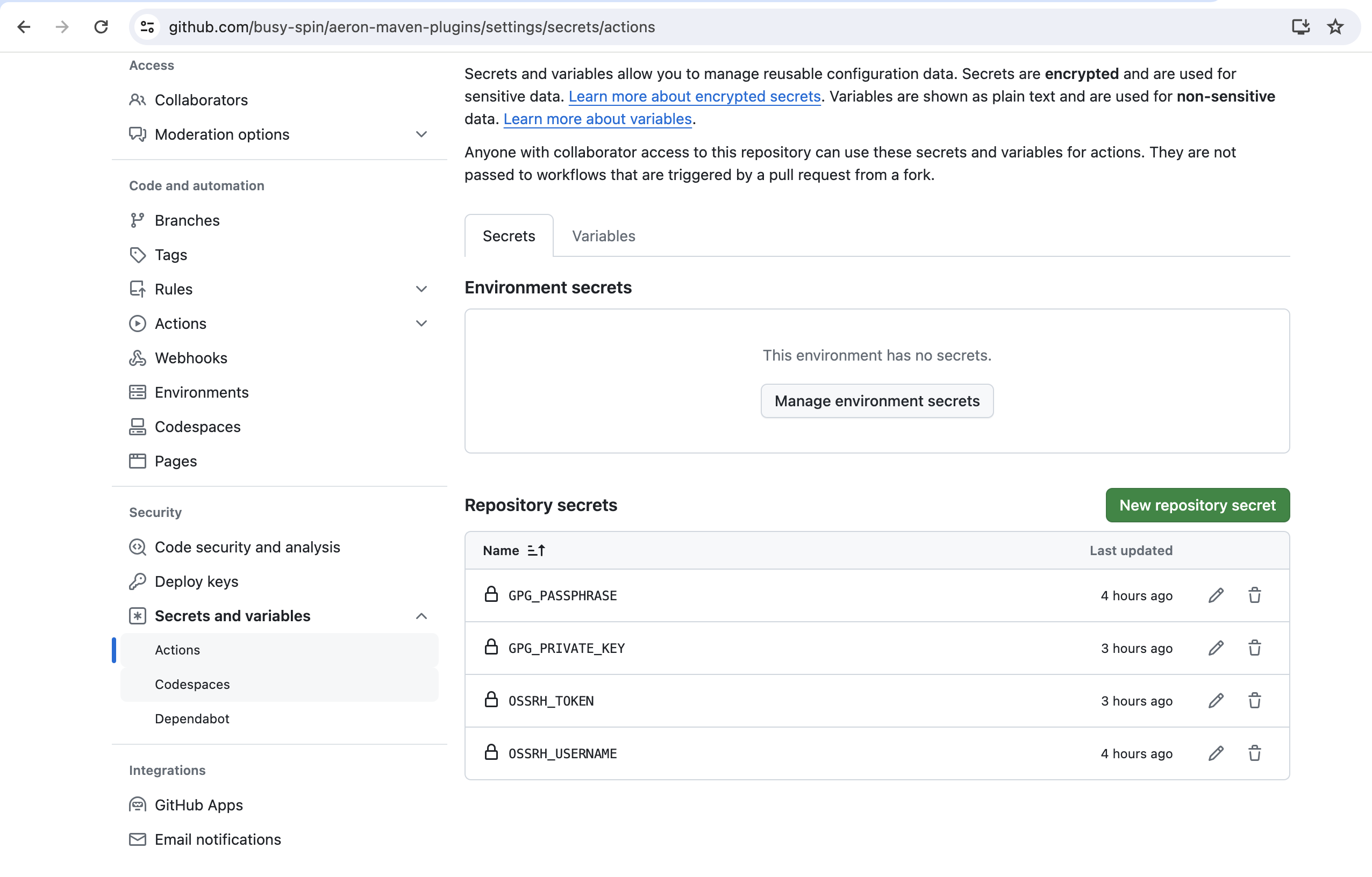
| Secret | Description |
|---|---|
| OSSRH_USERNAME | Sonatype token username |
| OSSRH_TOKEN | Sonatype token |
| GPG_PASSPHRASE | Passphrase use while generating GPG keypair |
| GPG_PRIVATE_KEY | GPG private key which we got using --export-secret-key option |
GitHub acton to deploy to Sonatype
Set up GitHub Actions to deploy library to Sonatype
name: Publish package to the Maven Central Repository
on: [workflow_dispatch]
jobs:
  build:
    runs-on: ubuntu-latest

    steps:
      - uses: actions/checkout@v4
      - name: Set up JDK 17
        uses: actions/setup-java@v4
        with:
          distribution: 'temurin'
          java-version: '17'

      - name: Build with Maven
        run: mvn -B package --file pom.xml

      - name: Set up Apache Maven Central
        uses: actions/setup-java@v4
        with: # running setup-java again overwrites the settings.xml
          distribution: 'temurin'
          java-version: '17'
          server-id: maven # Value of the distributionManagement/repository/id field of the pom.xml
          server-username: MAVEN_USERNAME # env variable for username in deploy
          server-password: MAVEN_CENTRAL_TOKEN # env variable for token in deploy
          gpg-private-key: $ # Value of the GPG private key to import
          gpg-passphrase: MAVEN_GPG_PASSPHRASE # env variable for GPG private key passphrase

      - name: Publish to Apache Maven Central
        run:  mvn --batch-mode deploy -P publish-sonatype
        env:
          MAVEN_USERNAME: $
          MAVEN_CENTRAL_TOKEN: $
          MAVEN_GPG_PASSPHRASE: $
Update you pom.xml to include gpg and sonatype publisher plugins
    <profiles>
    <profile>
        <id>publish-sonatype</id>
        <build>
            <plugins>
                <plugin>
                    <groupId>org.sonatype.central</groupId>
                    <artifactId>central-publishing-maven-plugin</artifactId>
                    <version>0.4.0</version>
                    <extensions>true</extensions>
                    <configuration>
                        <publishingServerId>maven</publishingServerId>
                        <tokenAuth>true</tokenAuth>
                    </configuration>
                </plugin>
                <plugin>
                    <groupId>org.apache.maven.plugins</groupId>
                    <artifactId>maven-gpg-plugin</artifactId>
                    <version>1.6</version>
                    <executions>
                        <execution>
                            <id>sign-artifacts</id>
                            <phase>verify</phase>
                            <goals>
                                <goal>sign</goal>
                            </goals>
                            <configuration>
                                <gpgArguments>
                                    <arg>--pinentry-mode</arg>
                                    <arg>loopback</arg>
                                </gpgArguments>
                            </configuration>
                        </execution>
                    </executions>
                </plugin>
            </plugins>
        </build>
    </profile>
</profiles>
Execute the GitHub Action
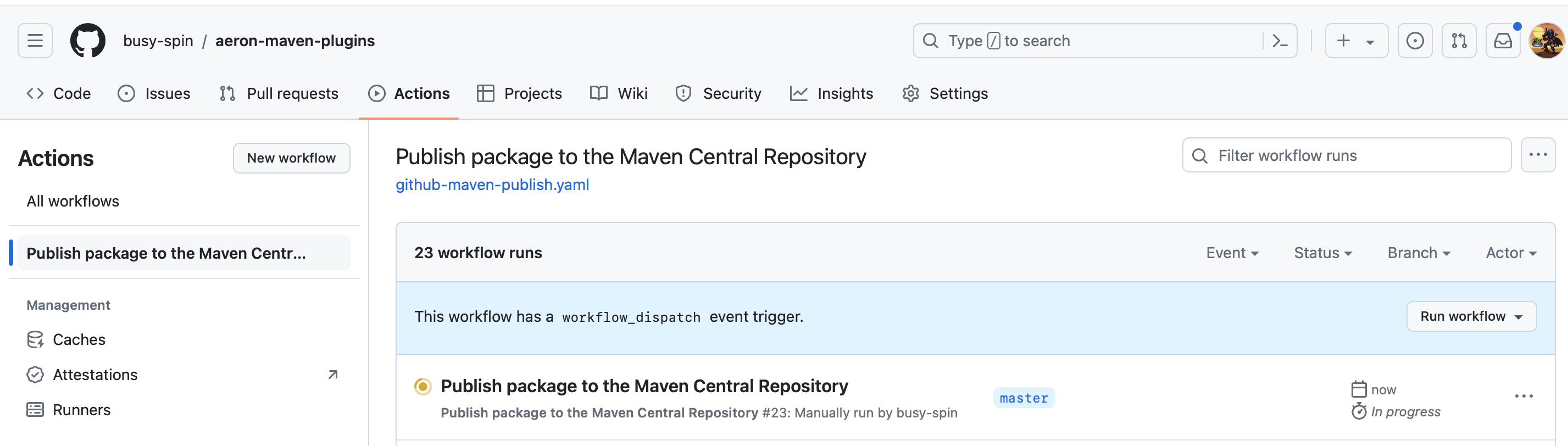
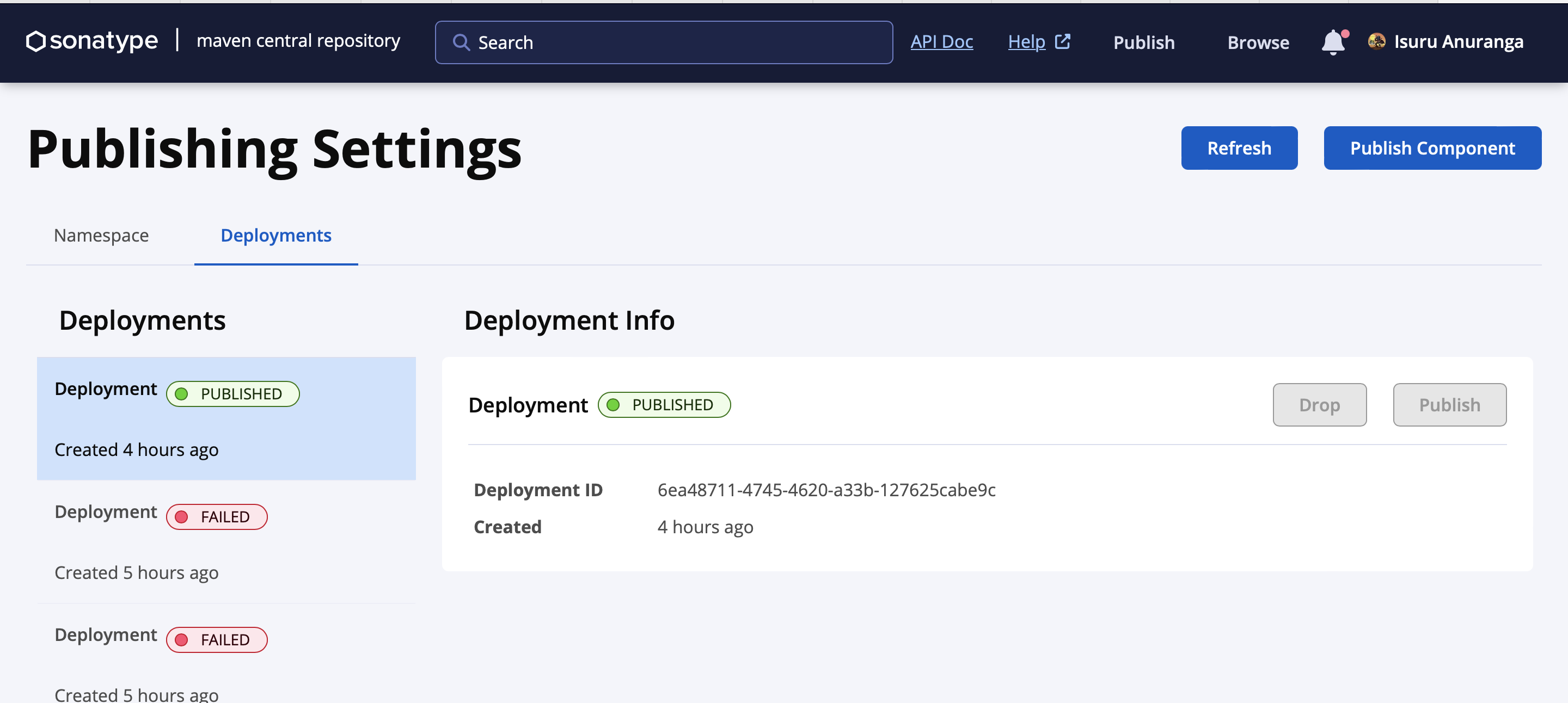
Lastly login to Sonatype to publish the uploaded library.
Refrences
Refer to my aeron-maven-plugins GitHub project.
05 May 2024 - Isuru